FAQ
I upgraded to a new Plugin version and now Sloyd objects in my scene have disappeared. What do I do?
Use the 'Reference Fixing Utility' under Tools / Sloyd. It will show a list of Sloyd objects with missing references and you'll have the option to run a fix. After that the object should appear again.
I updated the Unity version in my project and now Sloyd objects in my scene have disappeared. What do I do?
Use the 'Reference Fixing Utility' under Tools / Sloyd. It will show a list of Sloyd objects with missing references and you'll have the option to run a fix. After that the object should appear again.
I tried importing a scene with Sloyd objects from another project and it doesn't work. What do I do?
Make sure that you also imported the 'Sloyd Templates' folder and it's content from the other project.
Moving from edit mode to playmode takes a long time. What do I do?
If you have a scene with a lot of Sloyd objects, especially if they are heavy Sloyd objects with lots of parts, moving to playmode can take time. What you can do is turn the Sloyd objects to static objects (there's a checkbox for it) and then it will load much faster. However, unlike a Sloyd object, a static object cannot be edited with sliders in playmode. So chose which objects you want to change. You can also change between Sloyd object and static object in playmode.
How do I apply Unity Render Pipeline (URP) shaders to Sloyd objects?
Sloyd objects come with a custom shader. However, you can change the shader in settings and you also add Unity's standard PBR shader (available from version 0.8.1).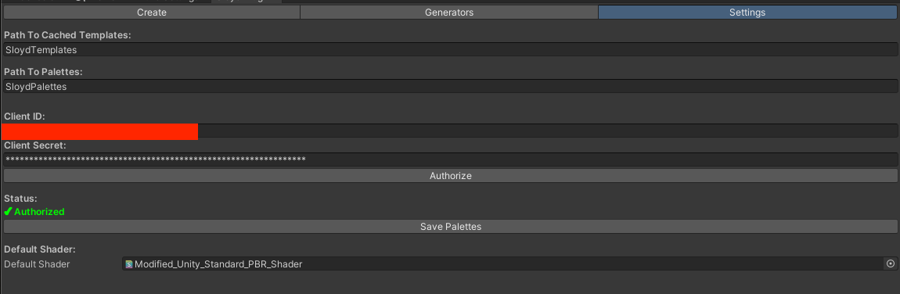
Why are the 'wack' sliders not usable?
See the section Configuring Sloyd Object Properties in Edit Mode. You need to turn the object to 'Solid mesh' for wack sliders to be available.
Last updated